Skip to content

Voice dictation

Dictation for Mac that types into any app

Hold Globe, talk, let go. Clean text appears where your cursor is, and “add a todo …” lands on your list.

Download for Mac

macOS 14.6 or later · 14-day free trial

Plan: Both plans Unlimited dictation

You said

hey maya um the the lumora kickoff is at two thirty no wait two fourteen
“You said / It typed” is an annotation added for this page.

Nothing is recorded, transcribed or sent.

The Mac menu bar with the SwitchDesk icon next to the clock.The Mac menu bar with the SwitchDesk icon next to the clock.
A message box to Maya holding “Hey Maya, the Lumora kickoff is at 2:14.”

How it works

Hold Globe for a quick line, or double-tap and keep talking.

  • The dictation pill listening: nine orange bars, no words.

    Hold Globe to talk

    Hold the key while you talk. Let go and the text pastes.

    English only. Your voice is transcribed in the cloud as you talk, so it needs a connection.

  • The hands-free pill: bars between a cancel button and a confirm button.

    Double-tap for hands-free

    Talk as long as you like. ✓ pastes it, ✕ drops it.

    Globe already taken? ⌘⇧Space toggles hands-free instead.

  • A message box holding “Hi Joe, quick one before we start: could you bring the support team's headcount numbers?”

    Works in any text field

    Mail, Messages, Notes, a browser form, Terminal: wherever your cursor is.

    macOS asks you to allow Accessibility once, and SwitchDesk walks you through it.

Built for the mic you actually have.

Input device

Which microphone dictation listens to. Set a fallback for when your preferred mic isn’t connected.

Microphone
Fallback

Right now, dictation will listen on USB Microphone.

If the primary mic isn't available, the fallback is used. "System default" follows whatever you have selected in System Settings → Sound → Input.

With the lid closed, a muted built-in mic is skipped for one that works.
If the connection drops

  1. Wi-Fi blinked? It retries once on a fresh connection.

  2. No connection? Apple’s speech engine takes over, if Siri & Dictation is on and an offline dictation language is installed.

System Settings → Keyboard → Dictation

If you need it again

The Mac menu bar with the SwitchDesk menu open: Record Meeting and Create Video tiles, recent dictations you can copy again, and the app’s menu items.
Recent dictations
Clear

Your recent dictations wait in the menu bar. Click one to copy it again.

AI Polish

It cleans up how you talk, not what you said.

If a cleanup doesn’t read as a tidy copy of what you said, SwitchDesk pastes your words as they were.

Skip

“Um”, a stray “like” and a doubled “the” come out. The sentence around them stays.

You said: “hi joe um quick one before we start could you like bring the the support team's headcount numbers”. It typed: “Hi Joe, quick one before we start: could you bring the support team's headcount numbers?”. Fixes: FILLER.

Say “never mind” or “scratch that” and only the version you restated is kept.

You said: “I want to work on the calendar application never mind I want to work on the chess application tonight”. It typed: “I want to work on the chess application tonight.”. Fixes: SELF-CORRECTION.

Versions, file names and symbols are written the way you’d type them.

You said: “we shipped version two point four point one and the file is called release underscore notes dot md”. It typed: “We shipped version 2.4.1, and the file is called release_notes.md.”. Fixes: TECHNICAL.

“Gonna” and “wanna” become “going to” and “want to”, and names get their capitals.

You said: “we're gonna wanna ship tools like slack integration first”. It typed: “We're going to want to ship tools like Slack integration first.”. Fixes: SLANG.

You said: “hi joe um quick one before we start could you like bring the the support team's headcount numbers”. It typed: “Hi Joe, quick one before we start: could you bring the support team's headcount numbers?”. Fixes: FILLER.

Voice commands

Start with “add a todo” and it lands on your list.

Other commands start timers, open Chat, add bullets and take back what you just said.

  • add a todo <task>
  • remind me to <task>
  • add to today <task>
  • add todos: X, Y, and Z

“add a todo prep pricing slides for the Lumora call”

The pill confirms “Todo Added” with Add to Today’s Todo and This Week’s Todo chips.

“add todos: …” with three things

The pill confirms “Added 3 todos”.
  • Filed under the category it fits, judged from the description you gave each one.
  • Name three things, get three to-dos. Steps of one job can nest as sub-to-dos.
  • start a timer for 5 minutes
  • start stopwatch

“start a timer for 5 minutes”

SwitchDesk’s timer pill: 4:59 left.

“start stopwatch”

SwitchDesk’s stopwatch pill at 0:00, with Stop and Cancel buttons.
  • Starts a countdown pill. “cancel timer” stops it.
  • Counts up. “stop stopwatch” / “cancel stopwatch” ends it.
  • Chat, <message>
  • GestureGlobe key ×3 (triple-tap)

“Chat, draft a short follow-up email to Joe: twelve-seat pilot starting next month, revised pricing by Thursday”

The pill confirms “Chat opened”.
  • Opens AI Chat with your message already sent.
  • new line / new paragraph
  • new bullet <item>

“agenda for thursday new bullet pilot timeline new bullet pricing slides”

A message to Maya Chen: Agenda for Thursday: - Pilot timeline - Pricing slides

Illustration.

  • Inserts line breaks in the text you dictate.
  • Bulleted list; “first… second… third…” makes a numbered list.

More you can say

  • add a todo to <category> <task>
  • scratch that
  • never mind
  • record new meeting

Every command is listed in Settings → Dictation under “Voice commands”.

Dictionary

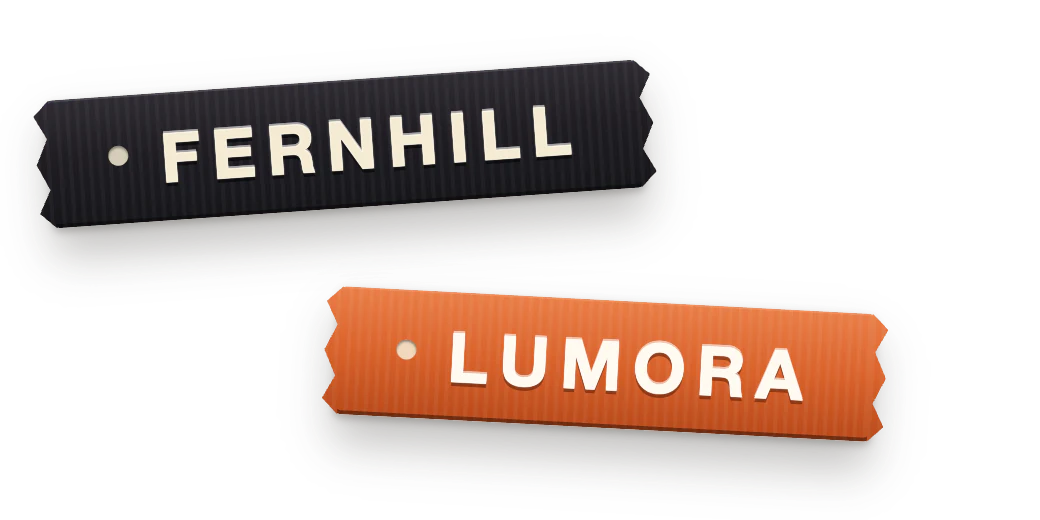
Add Fernhill once, and it’s spelled right in every app.

Add “fern hill → Fernhill” as a replacement and “Lumora” as a word you use often. Then press “Run it” to dictate a sentence with both.

  • Replacements swap a phrase for exactly what you want, in every app.
  • Commonly used words help the engine hear names and jargon.

Dictionary

Synced across devices when signed in.

Replacements

Swap a source phrase for an exact replacement. Case-insensitive, word-boundary-aware.

  • fern hillFernhill

Commonly used words

Tell the engine about words you use often (names, jargon).

  • Lumora
Result: Send Fernhill's proposal to Lumora
  • “fern hill” → Fernhill
  • “Lumora” is a hint, not a replacement: it helps the engine hear the name, so nothing here changes.

Illustration.

App-aware modes

Exact in Terminal. Casual in Messages. Tidy in Mail.

One sentence, three apps. Pick a tab to see what each one gets.

You said

“hey maya can you run npm run build on the one point zero point two branch before friday thanks”

Near-verbatim — keeps identifiers, casing, and commands exact; no number conversion or stray punctuation.

In Terminal

Hey Maya, can you run npm run build on the one point zero point two branch before Friday? Thanks

App-aware modes

Adjusts how Polish formats based on the app you’re dictating into — never your words. Apps not listed below use your normal polish.

Settings → Dictation

Prompting a coding assistant in your editor? Click “Add app…” under Code & Terminal to get the same exact output there.

Customize

Choose the key and whether AI Polish runs.

All of it lives in Settings → Dictation. These are the app’s own settings.

Globe key (primary)

Hold to dictate, double-tap for free-speak.

⌘⇧Space (fallback)

Toggles free-speak. Useful when Globe is claimed by System Settings.

AI Polish

Auto-punctuation, grammar fixes, bullet & numbered lists from spoken cues. Off → raw transcript with dictionary substitutions only.

Hide Dock icon

Run as a menu bar app. Access via the menu bar icon or hotkeys.

Lands in your to-do list

Said out loud, filed under Fernhill.

You say “add a todo prep pricing slides for the Lumora call”; the pill shows “Todo Added”, the Today’s Todo chip is pressed, and “Prep pricing slides for the Lumora call” lands at the top of Today’s Todo with its Fernhill tag.

“add a todo prep pricing slides for the Lumora call”

SwitchDesk to-do window, Beige theme: Today's Todo: Prep pricing slides for the Lumora call; Reply to Daniel about the Q4 hiring plan (in progress); Book Theo's dentist appointment; List the new glaze mugs; Record Lumora pilot walkthrough. Fernhill: Send Joe the pilot timeline by Thursday; Post the support-lead job listing.

Animation added for this page.

Also in SwitchDesk

Dictation questions

More in Help →
Will AI Polish change what I said?
No. It removes fillers, repeats and take-backs and formats numbers; words that carry meaning stay. If a cleanup doesn’t read as a tidy copy of what you said, your words are pasted as they were. Turn “AI Polish” off for the raw transcript.
Which apps does it work in?
Any app with a text field: it types wherever your cursor is. macOS asks you to allow Accessibility once, and SwitchDesk walks you through it on first use.
What leaves my Mac when I dictate?
Your voice streams to our transcription provider while you talk. With AI Polish on, the text (not the audio) goes through our server to an AI model to be tidied. The text of your recent dictations stays on your Mac for the menu-bar history.
Does it work offline?
No, unless Apple’s speech engine can take over: Siri & Dictation must be on and an offline dictation language installed (System Settings → Keyboard → Dictation).
Which languages does it understand?
English.
Where did my last dictation go?
Open the SwitchDesk menu in the menu bar: “Recent Dictations” keeps your latest ones, and one click copies a dictation again.
How is it different from Apple Dictation?
SwitchDesk tidies what it types: “um” and “the the” go, and “two point four point one” becomes 2.4.1. It formats for the app you’re in and spells your Dictionary words. And “add a todo …” adds a to-do instead of typing. See the full comparison →
How does it compare with Wispr Flow?
Both type into any app and tidy what you say, and both include meeting notes (checked Oct 4, 2026). Pick Wispr Flow for Windows, an iPhone keyboard and a free tier. Pick SwitchDesk if you want “add a todo” to land on your list and screen videos with share links in the same subscription. See the full comparison →
Which plan includes dictation?
Both. Dictation is unlimited on Essential and Pro.

Hold Globe in the next app you open.

Compare with Wispr Flow →

SwitchDesk is a Mac app

Send yourself the download link, then open it on your Mac.

switchdesk.org/download

Or scan it with your phone’s camera.